STAR alignment failed: the three memory errors and how to fix each one
STAR needs ~28 GB RAM for human hg38. When it fails with an OOM error, the cause is almost always one of three problems, each with a specific flag fix.
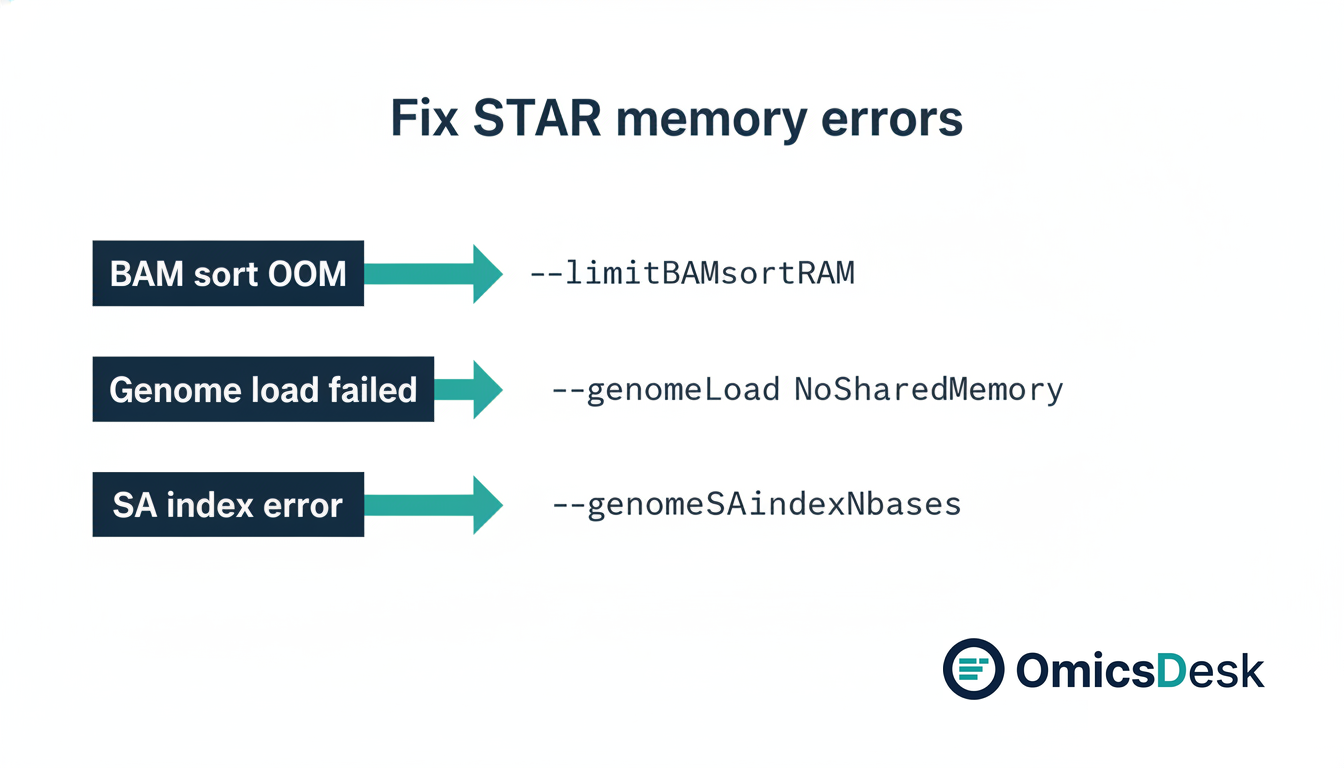
STAR is the most widely used RNA-seq aligner and one of the most likely to fail with a cryptic memory error the first time you run it on a new machine or cluster node. The core reason is that STAR loads the entire genome index into memory before alignment begins, which is what makes it fast but also what makes it demanding. This post covers the three errors you are most likely to encounter, what each one actually means, and the specific flags that fix them. For where alignment sits in the wider run, see the full FASTQ to differential expression pipeline.
Why STAR loads the whole genome into RAM
STAR builds a genome index by loading the reference sequence and its suffix array into memory at alignment time. For human hg38, the index is approximately 28 GB. Mouse mm10 is similar. Loading once and reusing across all samples in a run is what gives STAR its speed, but that 28 GB must be available before a single read is aligned.
This is not a bug or an oversight. It is the design. If you know this going in, the errors that follow become predictable.
Error 1: BAM sort ran out of memory
The error message you will see:
EXITING because of FATAL ERROR: not enough memory for BAM sortingor, in some versions:
STAR ERROR: not enough memory for sortingWhat happened: After alignment, STAR sorts the output BAM in memory before writing to disk. The sort step is entirely separate from the genome loading step and has its own memory budget. The default limit is often too low for large datasets, especially if your BAM has tens of millions of reads.
The fix:
STAR \
  --limitBAMsortRAM 20000000000 \
  ...
Set --limitBAMsortRAM to the number of bytes to allow for sorting. 20 GB (20,000,000,000) is a
safe value for human-scale data with 30 to 100 million reads per sample. If you are not sorting
in STAR, use --outSAMtype BAM Unsorted and sort downstream with samtools instead.
Error 2: Genome could not be loaded into shared memory
The error message:
STAR ERROR: could not load genome into shared memoryor
Genome could not be loadedWhat happened: STAR’s default --genomeLoad mode is LoadAndKeep, which loads the genome
index into Linux shared memory so multiple STAR processes on the same node can share it. If the
shared memory segment is not large enough, the load fails.
The fix depends on your setup. For a single-sample run or a cluster node where shared memory is limited, switch to process-private memory:
STAR --genomeLoad NoSharedMemory ...NoSharedMemory loads the genome into each process’s own memory rather than a shared segment. No
shared memory configuration is required. Each STAR process uses ~28 GB, but the reliability issue
goes away.
If you do want to share the genome across many parallel jobs on the same node:
STAR --genomeLoad LoadAndKeep --runMode alignReads --genomeDir /path/to/genome ...Load the genome once before the jobs start, then remove it when all jobs finish with
--genomeLoad Remove. Check your shared memory limit with ipcs -l; the value labeled
max seg size must exceed the genome index size.
Error 3: Index generation failed for a small or non-standard genome
The error message:
EXITING: FATAL INPUT ERROR: unreasonable value of --genomeSAindexNbasesor a warning about incorrect SA pre-indexed bins during genomeGenerate.
What happened: STAR chooses an index parameter called --genomeSAindexNbases based on genome
size. The default is 14, which is correct for large vertebrate genomes. For small genomes such as
bacteria, simple model organisms, or a custom partial reference, the default is too large and the
indexing fails or produces incorrect results.
The fix: Set --genomeSAindexNbases to min(14, floor(log2(GenomeLength) / 2 - 1)). For a
4 MB bacterial genome that is roughly 10. For Drosophila (~140 MB) it is about 12.
Example for a small genome:
STAR --runMode genomeGenerate \
  --genomeSAindexNbases 10 \
  --genomeFastaFiles reference.fa \
  --genomeDir ./genome_index
If you are unsure of your genome size, wc -c reference.fa gives the approximate byte count
(actual nucleotides are fewer due to sequence headers, but close enough for this formula).
How much RAM to request on a cluster
For human or mouse RNA-seq, request at least 40 GB per STAR process. This covers the 28 GB genome index plus headroom for BAM sorting. A typical SLURM header:
#SBATCH --mem=40G
#SBATCH --cpus-per-task=8
Before running STAR on a new node, check available RAM with free -h. If free memory is below
the genome index size, the alignment will fail regardless of which flags you set.
A simple rule of thumb: 28 GB for the genome, 10 to 12 GB for BAM sort, plus a buffer. 40 GB is the practical floor for human-scale work. 64 GB is comfortable.
The most expensive STAR run is the one that fails four hours in and wastes the cluster slot. These checks take two minutes up front.
If you are running into memory errors that do not fit any of these three categories, DM me and describe the exact error message. Happy to take a look.
Keep reading
- 2026-05-22 RNA-seq from FASTQ to DE: what a reproducible pipeline actually looks like in 2026 End-to-end RNA-seq workflow: QC, alignment, quantification, DESeq2, pathway analysis, reporting. The five stages, the re…
- 2026-08-14 How long does RNA-seq analysis take? Seven days, and the gate that ends each one Seven working days from FASTQ to interpreted report. What each day has to clear before the next one starts, what a faile…
- 2026-07-31 PCA for Batch Diagnosis: What the Plot Is Telling You and What to Do Next A practical recipe for reading PCA plots to diagnose batch effects in RNA sequencing, with the right fix depending on yo…